Store team
- Views
- Operational tasks and alerts for their store
- Reads
- Store-level sales and stock
- Changes
- Low-risk operational actions

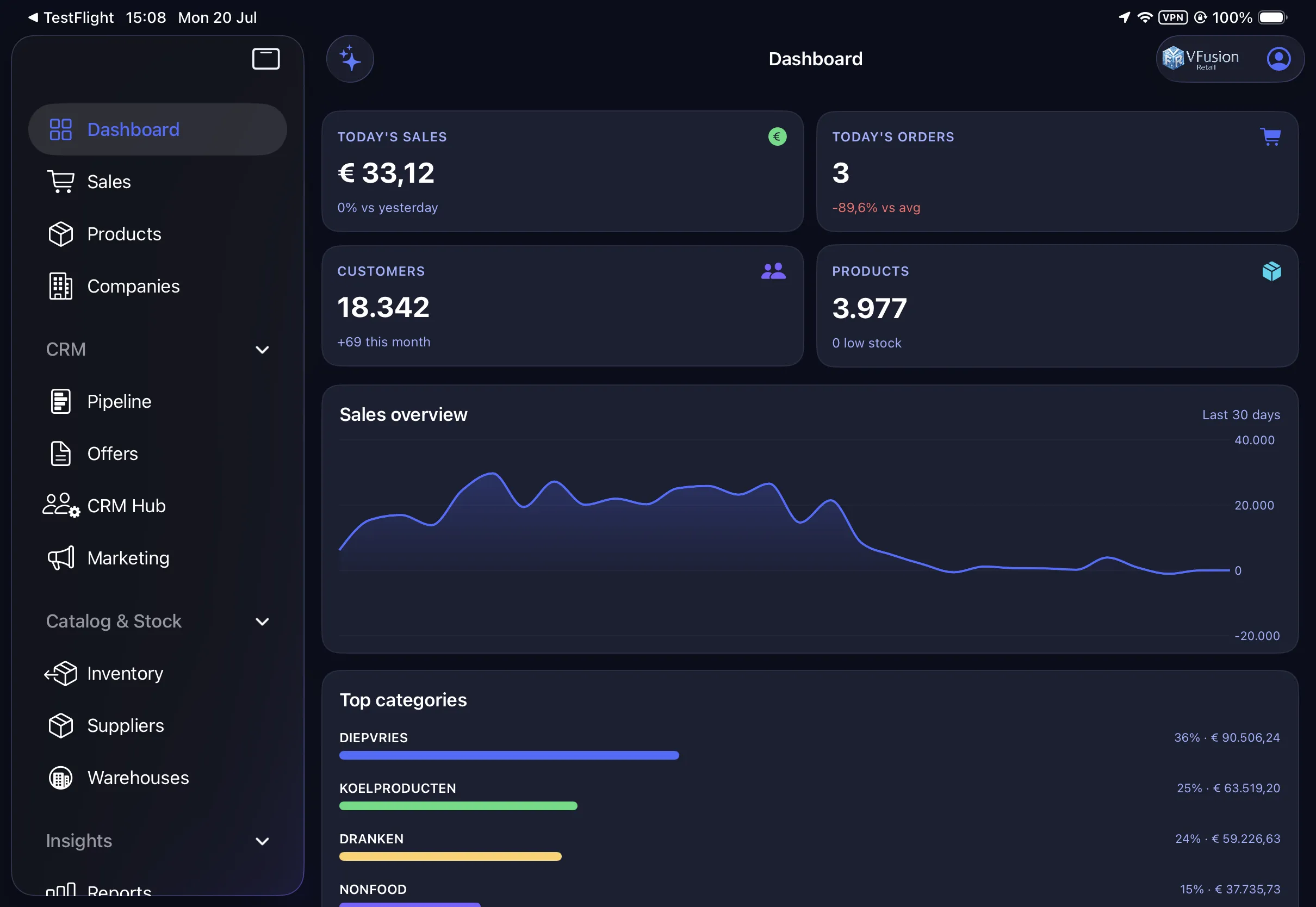
VFusion Retail connects POS, back office, warehouses, customers and suppliers in one configurable piece of software - made for retailers and wholesalers whose complexity has outgrown disconnected POS terminals, spreadsheets and separate back-office tools. And engineered to keep trading even when the network does not.
POS · Inventory · Purchasing · CRM · Finance · Reporting, and Adam AI, the resident analyst.
Verified facts, not slogans
If several of these sound familiar, VFusion Retail was made for you:
And the honest counterpart: if all you need is a simple payment terminal and a short product list, VFusion Retail is probably more software than you need. If yours has outgrown that, keep reading.
All six modules of the software read and write the same live records: a sale updates stock, stock drives purchasing, and finance sees all of it without a single export.
POS, web orders, invoices
Live levels, movements, audit
Suppliers, orders, receiving
Terms, CRM, credit & debt
Reconciliation, VAT, controls
Adam: alerts, analysis, action
Stock, POS, finance, purchasing, CRM and reporting: one source of truth in one system. Click through to see what each module does.
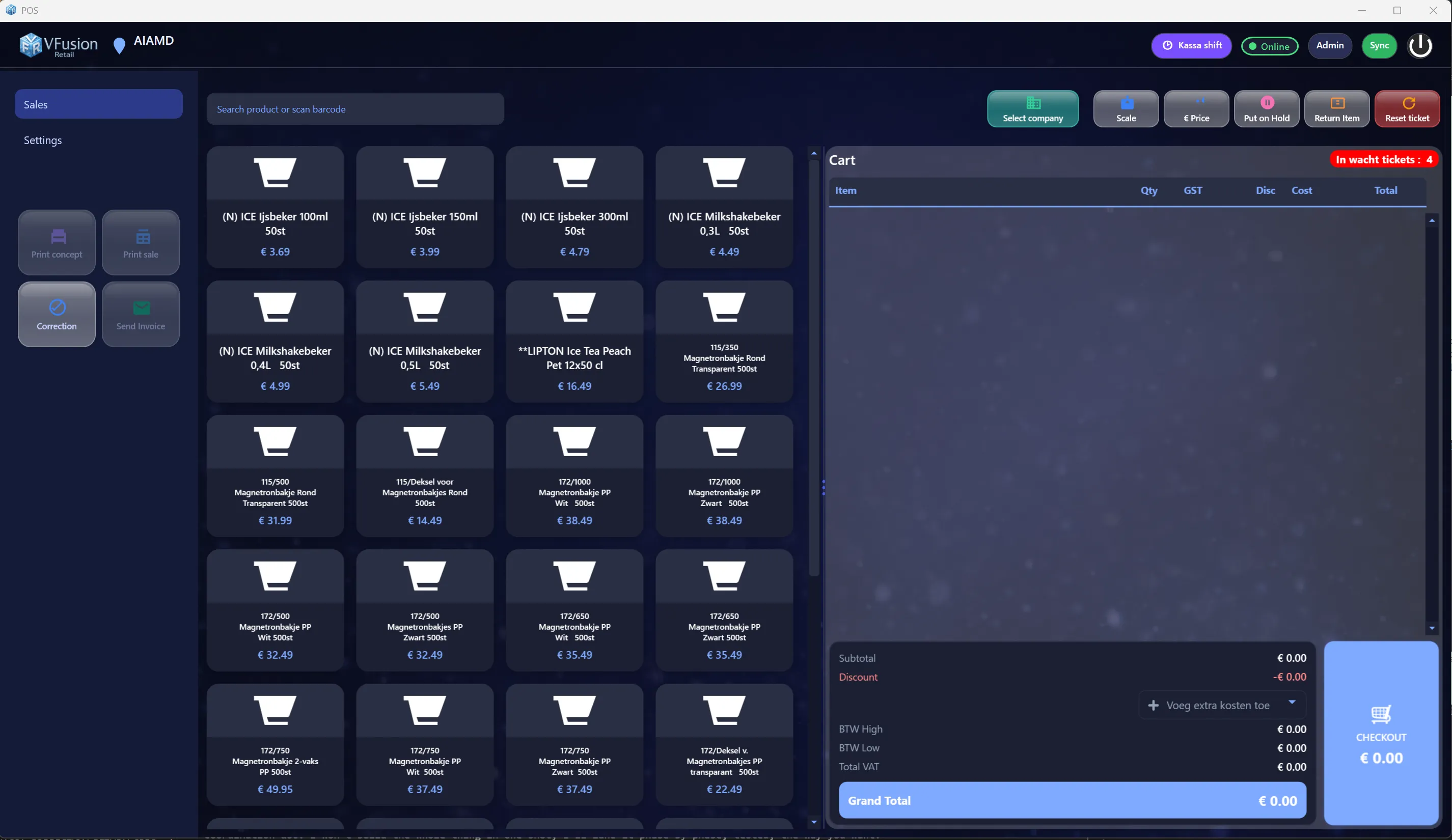
Sell anywhere, reconcile everywhere.
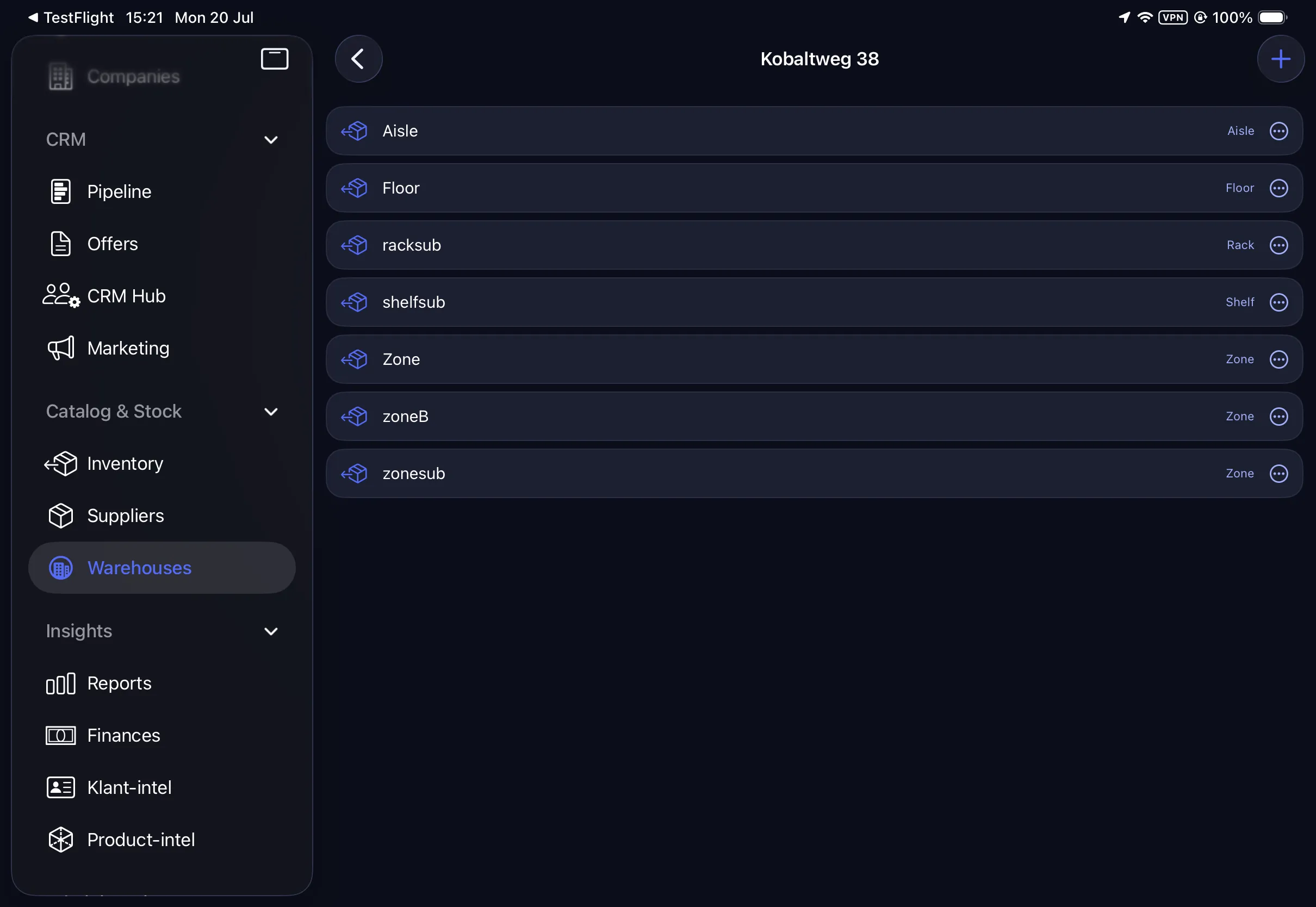
A stock number you can trust, and prove.
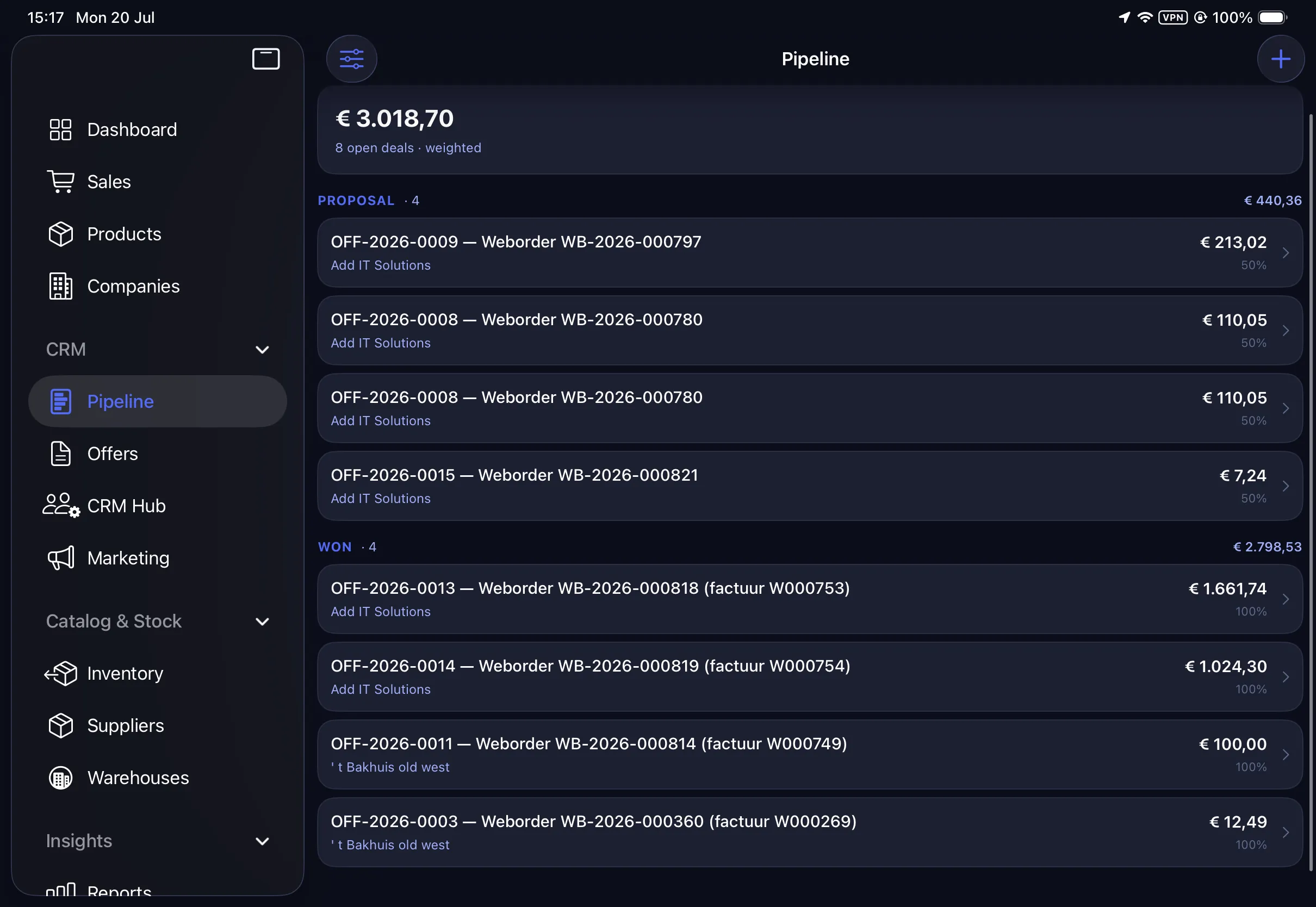
Turn transactions into relationships.
The back-office grind, automated.
Sell anywhere, reconcile everywhere.
Described once, correct everywhere.
A stock number you can trust, and prove.
From “we’re low” to “it’s on the shelf.”
Turn transactions into relationships.
The back-office grind, automated.
Any question becomes a report.
One brain, every device.
Adam AI works over live VFusion Retail records to surface margin, stock, customer, finance and operational risks. Each recommendation shows the records behind it - and high-impact actions stay behind permissions, approvals and an audit trail.
Monitor
Detects changes, risks and exceptions across the data your roles have authorized.
Explain
Answers why something changed, how significant it is, and which records support the conclusion.
Recommend
Proposes a specific next step, with its assumptions and trade-offs visible.
Act
Prepares or executes approved workflows, under the same role permissions and logging as the rest of VFusion.
Nothing high-impact leaves without an authorized user’s approval. You stay in control; the log stays complete.
See Adam AI at work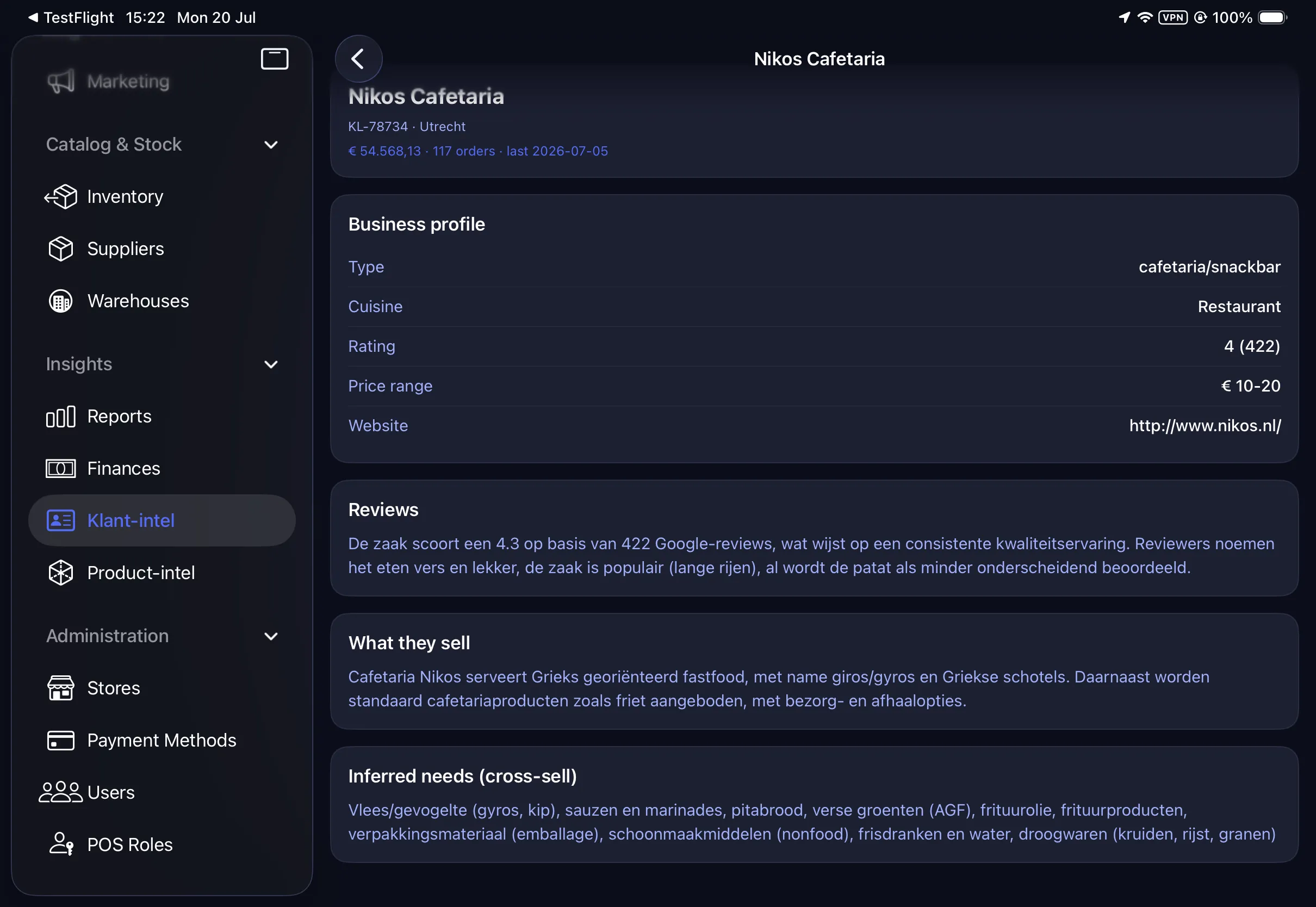
Dashboards, alerts and actions are assigned per role and user group - enforced by the same permission system on web, POS and scanner, with changes taking effect immediately.
Grant a right and it takes effect immediately; every sensitive action lands in the activity log.
Replenishment is worth real money when it works, so we explain the mechanism instead of calling it magic: which inputs a suggestion uses, the way a draft purchase order is assembled, and why nothing is ever sent without your approval.
Works to EU rules: VIES EU-VAT checks, MT940 banking, on-account (credit) trading and multi-VAT.
Scales, deposits, cash rounding and speed at the counter.
Learn moreA fast POS, supplier ordering by photo and live market-price checks.
Learn moreAccounts on credit, payment terms, A4 invoicing and a defended debt lifecycle.
Learn moreOne back-office over many POS terminals, stores and countries.
Learn moreImport your catalog, clients and history with the guided wizard, module by module, alongside what you have.
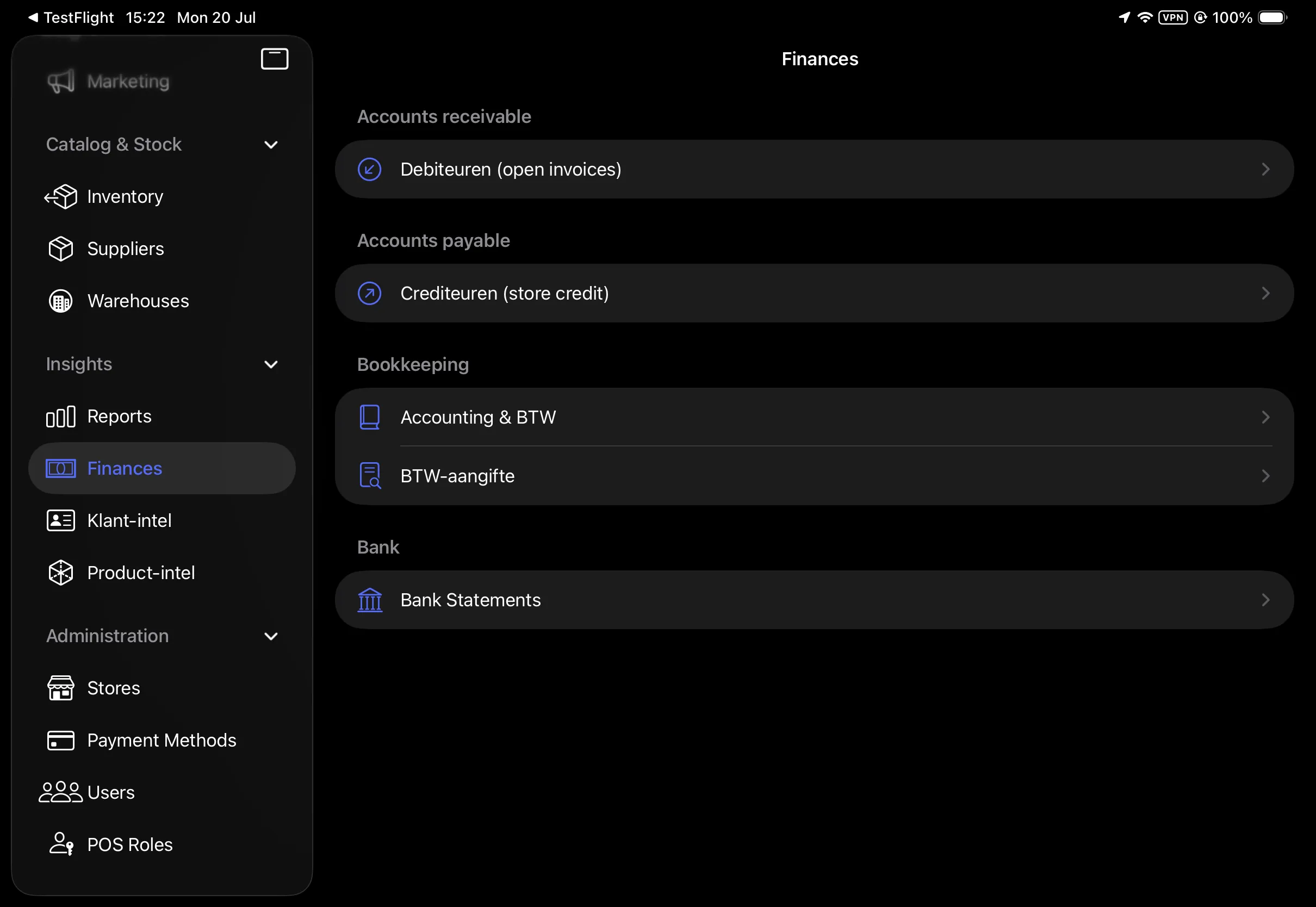
Browser POS, iPad and Android scanner all run off the same software, in real-time sync.
Market prices, customer intel and proactive alerts land where you’ll see them.
Reprice, reorder, chase a debtor or call a customer, with the numbers already in hand.
The POS keeps selling through a dead connection and re-syncs without duplicating a cent.
Totals, VAT, returns and debt are computed on the server, so every device books identical figures.
Granular role-based rights and a full activity log: who did what, when, and what was sent.
Reports and records export to CSV, Excel and PDF, and the software runs on your hardware or in our Netherlands datacentre.
Both. The POS is one module of a single piece of software that also covers catalog, inventory and warehouse, purchasing, customer management and finance. Tills, scanners and back-office screens all read and write the same database, so stock and money never need reconciling between separate tools.
Adam AI runs around 40 tools over your numbers. It monitors margin, stock, customer and finance signals, explains why an exception happened, recommends what to do next, and can act once an authorized user approves. Recommendations show the records behind them, and the log captures it all.
No, and we would rather say so plainly. Reorder suggestions are assembled from observed sales, current stock, supplier lead times and the minimums you configure. There is no predictive demand model. The reordering page sets out each input and each limit in full.
The tills keep selling. Everything keeps trading through a network outage and syncs back up automatically once the connection returns.
Yes. VAT returns, multi-VAT handling, VIES checks and MT940 bank reconciliation are all in the core. Note that European here refers to the rules the product implements, not a claim about existing deployments.
There is no fixed list price, because the right configuration differs per retailer. A quote is assembled from the modules, stores, tills and devices you actually need, and you can begin with a smaller footprint and add later. The pricing page explains the way a quote is put together and what onboarding includes.
Yes. One back office sits over every store, and each POS terminal belongs to a store while reading the same catalog and customer records. Stock is tracked per location, so you can see what sits in store three versus the warehouse, move it between them, and let purchasing order against group demand instead of per shop. Finance consolidates across the group while still reporting each store separately.
Through a guided import wizard, module by module. Products, barcodes, buying prices, customers and open balances come in from CSV or Excel exports out of your current system. You can run VFusion Retail alongside what you have while stock and pricing are verified, then move the tills over once the numbers reconcile. Nothing requires a big-bang cutover on a Sunday night.
Ordinary retail hardware. The POS runs in a browser, on iPad, and as a Windows desktop till, and it drives the usual receipt printers, cash drawers, scales and barcode scanners. Warehouse work runs on a rugged Android scanner. There is no proprietary terminal to buy from us, so existing equipment that still works usually keeps working.
Always, and without asking us. Every report and record exports to CSV, Excel or PDF from inside the software, covering stock, sales, purchasing, customers and finance. The database can run on your own hardware or in our Netherlands datacentre, and if you leave you take a full export with you. Software you cannot exit is software you cannot trust.
Calculators and plain-language references from the team that builds the platform - free to use, free to link to.
Thirty minutes, screen-shared, on figures like yours - the POS, the back office and Adam AI, plus straight answers to the hard questions. No slideware.